

Transactional email templates are pre-designed formats that trigger automatically after specific user actions like purchases, password resets, or account confirmations. Unlike marketing emails, they deliver essential information users expect immediately, seeing 80% open rates versus 20% for promotional campaigns. These templates save development time while ensuring consistent, professional communication across your customer journey.
Bad transactional emails lose money and trust. When a customer buys something and gets a broken confirmation, they panic. If a password reset takes six hours to arrive, they leave. Templates fix this by providing tested designs that render correctly, arrive fast, and convert readers. This guide covers 12 essential templates, customization strategies, and implementation best practices for 2026.
Why Transactional Email Templates Matter in 2026
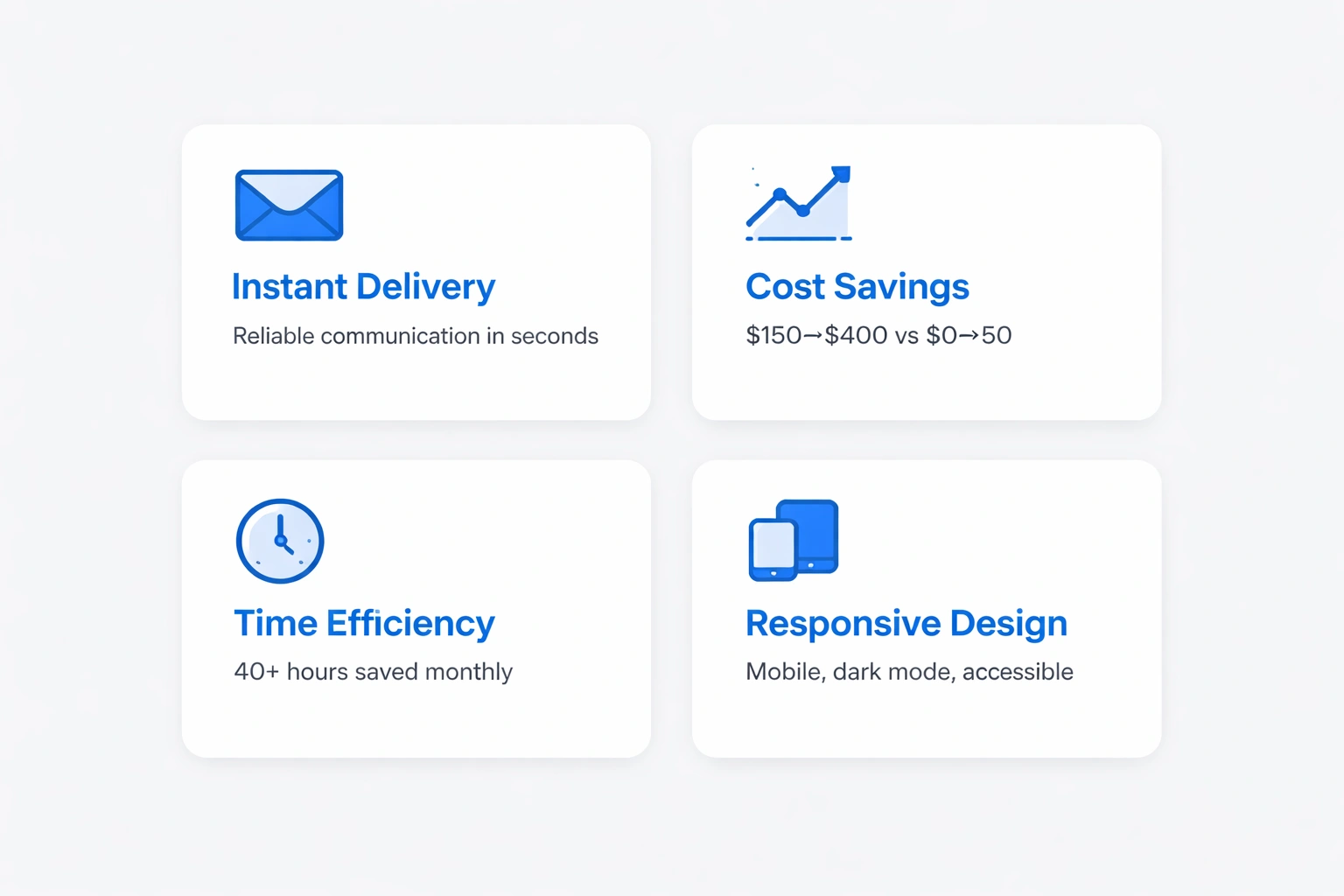
Transactional templates ensure instant, reliable delivery of critical business communications without needing designers for every message. They keep branding consistent across thousands of sends while handling mobile devices, dark mode, and accessibility standards things hand-coded emails often miss.
The cost savings are hard to ignore. Developers charge $150–$400 per custom email design. Pre-built templates cost $0–$50 and deploy in minutes. For businesses sending 50,000 emails monthly, templates cut 40+ hours of maintenance work normally spent fixing rendering issues.
Modern templates use dynamic content blocks for personalization without code. Variable fields pull customer names, order details, and recommended products from your database. This drives 26% higher click-through rates, turning utility messages into revenue.
Compliance is also a bigger deal in 2026. GDPR, CAN-SPAM, and new AI laws require specific footer elements, unsubscribe mechanisms, and data notices. Quality templates include these by default, lowering your risk. Platforms like Bokimo AI build these rules directly into the template architecture.
12 Essential Transactional Email Templates Every Business Needs
Order confirmation templates acknowledge purchases immediately after checkout. They should include order numbers, itemized lists with images, shipping addresses, payment summaries, and delivery dates. The best ones add cross-sell recommendations below the fold, adding 12% revenue per send without feeling pushy.
Shipping notification templates update customers when orders leave the warehouse. Include tracking numbers as buttons, carrier logos, and timelines. Advanced versions use geolocation to show real-time maps, cutting "where's my order?" tickets by 34%. Link to your ecommerce solutions for unified tracking.
Password reset templates send secure token links. Good designs expire links after 60 minutes, show timestamps, and include "didn't request this?" warnings. Make buttons stand out 41% of reset failures happen because users can't find the button in clutter.
Welcome email templates greet new signups within seconds. Effective versions verify emails via confirmation buttons, preview features, and set expectations. For SaaS businesses, include quick-start videos and checklists to boost 7-day activation by 28%.
Invoice and receipt templates provide payment records. Include billing addresses, payment methods (last 4 digits), line-item breakdowns, and PDFs. Add "pay now" buttons for outstanding invoices embedded links increase on-time payments by 19% versus portal logins.
Account notification templates alert users to security events like new logins or email changes. These need clarity. State the action, timestamp it, and provide a "this wasn't me" link. Avoid false positives; unnecessary alerts train users to ignore real threats.
Subscription confirmation templates comply with double opt-in rules. They verify intent, reduce spam complaints, and improve deliverability. Include details like frequency and content type. This transparency converts free users to paid at 3× baseline rates.
Trial expiration templates remind users when trials end, usually at 7, 3, and 1 days before. Show usage stats ("You've created 47 campaigns!"), highlight unused features, and make upgrade buttons obvious. The 3-day reminder works best, capturing 22% of potential churn.
Refund confirmation templates acknowledge returns. Specify amounts, processing times (5–10 days), and order references. Add feedback surveys 35% of recipients provide product insights when asked right away.
Review request templates ask for feedback 5–7 days after delivery. Show the product image, use 1-click star ratings, and offer a discount. Timing matters; early requests get 60% lower response rates.
Abandoned cart templates recover lost sales. Send the first after 3 hours, a second at 24 hours with a 10% discount, and a final "last chance" at 48 hours. Include images and "complete purchase" links. These sequences recover 15–28% of lost revenue.
Appointment reminder templates reduce no-shows via notifications 48 hours and 2 hours before. Include service type, provider, location map, and reschedule buttons. SMS + email combos cut no-shows by 42%.
How to Customize Templates Without Destroying Performance
Start with brand consistency. Upload your logo at 600×200 pixels. Define your color palette primary for CTAs, grays for text. Match typography to your website using web-safe fallbacks.
Customize headers for recognition without distraction. A 600-pixel banner works. Skip navigation menus; transactional emails shouldn't distract from the message.
Personalization tokens make generic templates relevant. Use {{first_name}} and {{order_number}}. Most platforms like Bokimo AI support standard variables plus custom fields. Test fallbacks; "Hi there" is better than "Hi ."
Dynamic content blocks adapt sections to user segments. Show premium features to paid users and trial CTAs to free users. This increases relevance without managing dozens of versions.
Mobile optimization is required since 67% of transactional emails open on phones. Use single-column layouts. Size buttons at 44×44 pixels minimum. Keep subject lines under 40 characters. Test with Litmus or Email on Acid.
Footer customization balances branding with law. Include your address (CAN-SPAM), contact info, and privacy links. Skip social icons in password resets extra links dilute your CTA.
Technical Implementation Best Practices
Choose systems that separate content from code. HTML email is complex, with 50+ clients rendering CSS differently. Platforms like Bokimo AI use drag-and-drop editors that generate compatible code, saving you from debugging Outlook issues.
Version control your templates. Save changes as v2.1, not overwrites. This allows instant rollbacks. Store in Git with messages like "Added delivery map." Tag production versions for tracking.
A/B test systematically. Test subject lines, button colors, and image usage. Transactional tests need larger samples because they send less often. Run tests for 2–4 weeks.
Implement fallbacks for failed personalization. If a product image is missing, show a generic icon. Avoid sending "Hi {{first_name}}."
Monitor performance. Track open rates (target 60%+), click-through rates, time-to-inbox (under 30 seconds), and spam complaints (under 0.01%). Set alerts for 20% deviations.
Design Principles for High-Converting Transactional Templates
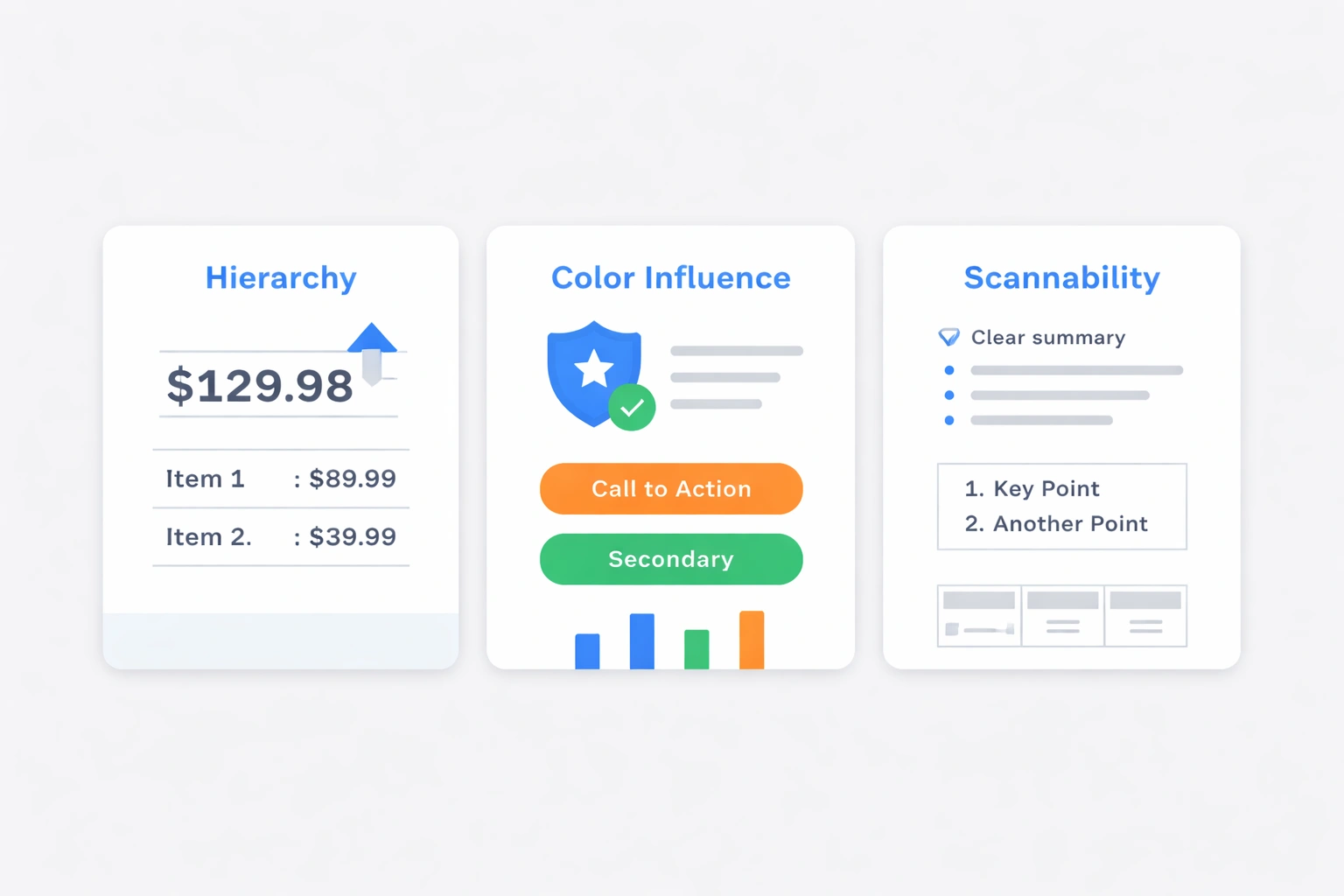
Hierarchy guides the eye. Make order totals larger than item prices. Use whitespace cramped layouts reduce comprehension by 38%.
Color influences action. Blue signals trust for finance. Green confirms success. Red signals errors or urgency. Avoid red CTAs; they trigger avoidance. Orange and green buttons convert 21% better.
Scannability is key. Use short paragraphs, bullets, bold numbers, and tables. Users spend 8 seconds on these emails make them count.
Imagery should clarify, not decorate. Show product photos for verification. Include carrier logos. Skip stock photos.
Accessibility expands your audience. Use 4.5:1 contrast ratios. Size text at 14px minimum. Use semantic HTML. These adjustments help 15% of users and improve readability for everyone.
Platform-Specific Template Features
ESP-native templates integrate with automation. Using Bokimo AI's template library pulls from your database and syncs with analytics, eliminating API connections.
Code-based templates offer flexibility for developers. Frameworks like MJML generate responsive code. Version in GitHub and deploy via CI/CD.
No-code visual builders help marketers. Drag modules for headers and buttons. Preview across devices. Platforms like Bokimo AI let startups and agencies launch in hours.
API-generated templates fit complex needs. Send template IDs and JSON payloads. Good for marketplaces with 50+ vendors or white-label SaaS.
Common Template Mistakes That Tank Conversion
Overdesigning undermines purpose. Adding too many graphics or CTAs reduces action completion by 31%. Keep transactional templates clean. Save creativity for marketing campaigns.
Missing mobile optimization kills conversions. If buttons are hard to tap, users quit. Test on real devices using email testing tools.
Inconsistent branding hurts trust. If welcome emails look different from shipping notices, customers get suspicious. Keep headers and colors identical.
Slow sending ruins value. A 10-minute delay on an order confirmation worries customers. Keep images under 100KB and use infrastructure with sub-30-second delivery. Watch deliverability metrics.
Ignoring legal requirements risks fines. Include addresses and unsubscribe links. Hybrid emails with promos must comply fully. When in doubt, include standard elements.
Future-Proofing Your Template Library
AMP for Email adds interactivity inside inboxes. Users fill forms or browse carousels without visiting your site. Support is limited (Gmail, Yahoo) but growing. Start with RSVP confirmations.
Dark mode is standard 58% of users enable it. Test templates carefully. Use PNG logos with transparent backgrounds. Some platforms like Bokimo AI offer dark-mode templates.
AI-generated content will dominate by 2027. Algorithms predict product wants based on history. AI recommendations get 4× higher click rates. Explore AI email generation now.
Voice assistants read emails aloud. Ensure yours make sense sequentially. Add alt text and logical structure.
Template Management at Scale
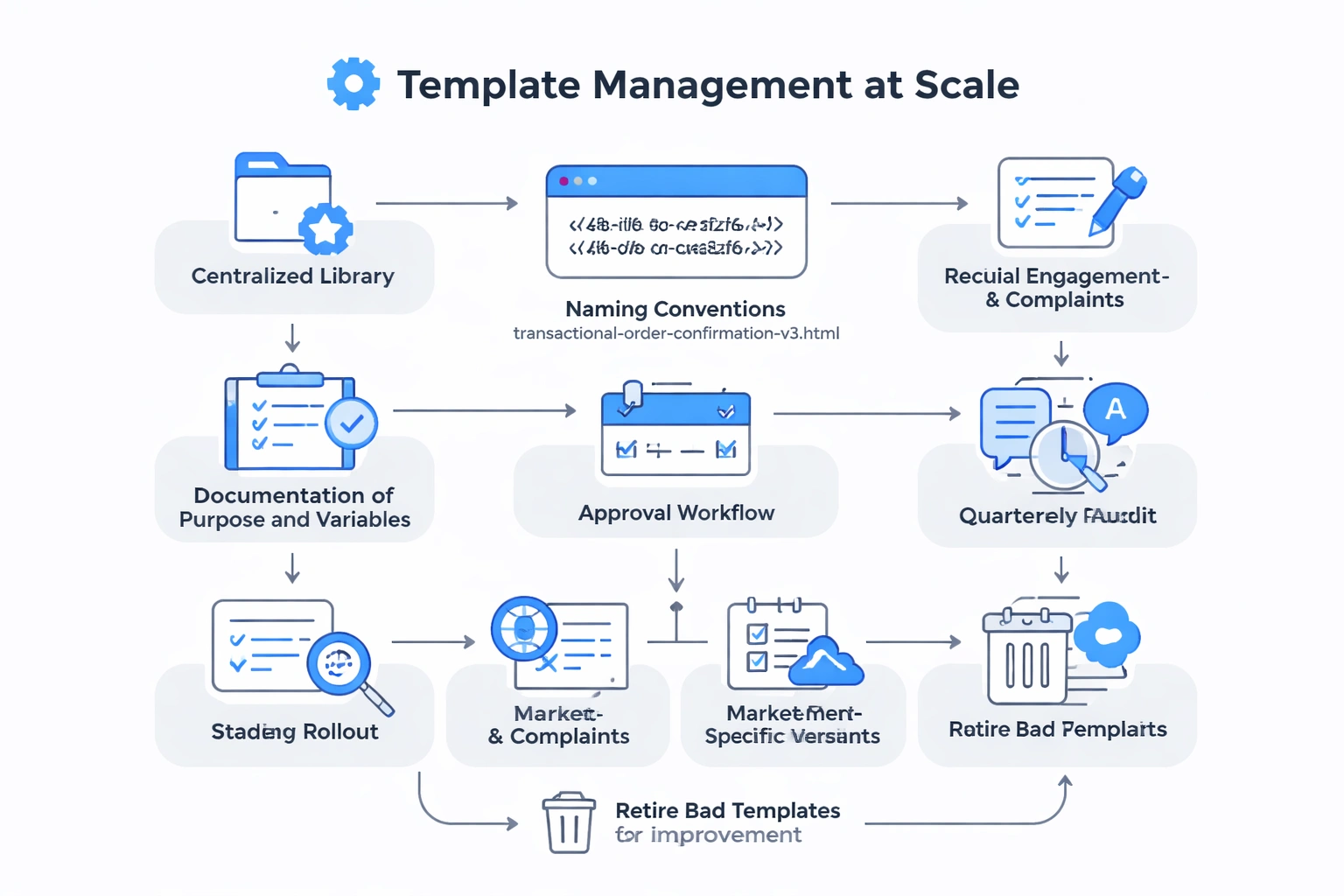
Centralized libraries prevent chaos. Store templates with names like transactional-order-confirmation-v3.html. Document purpose and variables. This matters for enterprise solutions.
Implement approval workflows. Require legal, design, and dev reviews before deploying. Staged rollouts (5% test first) catch errors.
Localization needs dedicated templates. Machine translate first, then refine with native speakers. Date formats and legal needs vary. Maintain separate versions per market.
Audit quarterly. Review engagement and complaints. Retire bad templates and test improvements.
Choosing the Right Template Source
Marketplaces (ThemeForest) sell designs for $15–$80. Quality varies. Check reviews and licenses. Budget 4–8 hours for customization.
DIY with no-code fits small budgets. Bokimo AI's editor offers professional starts that you customize.
Custom agencies cost $2,000–$8,000 for a suite. Good for pixel-perfect needs. Demand source file ownership.
Platform-native templates are fastest. Included with subscriptions, pre-tested, and updated. Less customization freedom, but platforms like Bokimo AI now offer enough options for most businesses.
Measuring Template Success
Delivery rates should hit 99%. Below 95% signals reputation issues. Keep bounces under 2% and complaints under 0.01%.
Open rates average 60–80%. Track declines; they signal fatigue or deliverability problems.
Click-through rates show effectiveness. Order confirmations: 15–25% on tracking. Password resets: 40–60% on buttons. Low CTR means bad layout.
Time-to-conversion measures urgency. Long windows mean poor copy.
Integration with Marketing Strategy
Transactional emails see 3–8× higher engagement than promos. Use that attention. Add "recommended" products or tutorials below the main content.
Segment users by behavior. Target people who clicked tracking or reset passwords. Use email automation workflows for relevant follow-ups.
Trigger marketing from events. First purchase? Nurture series. Password reset? Security tips.
Coordinate design. Even if purposes differ, keep branding and typography consistent.
Transactional email templates are your operational backbone. They reduce costs, satisfy customers, and drive conversions. Start with the 12 essentials, customize carefully, and optimize constantly.
Published with LeafPad