

Transactional emails are weird. We ignore them 99% of the time, but the moment we need one like a password reset at 2 AM we're desperate for it to work. The companies that get this right, like Airbnb and Stripe, see 5-8x higher conversions than those treating automated messages like digital trash. They understand that a transactional email is a captured moment of attention. You shouldn't waste it.
These messages hit inboxes at make-or-break moments: right after a purchase, during a password panic, or when a package is in transit. Unlike marketing blasts, these need to arrive instantly, look right, and stay legal. When you nail the balance, a routine notification becomes a quiet revenue driver.
What actually makes a transactional email work
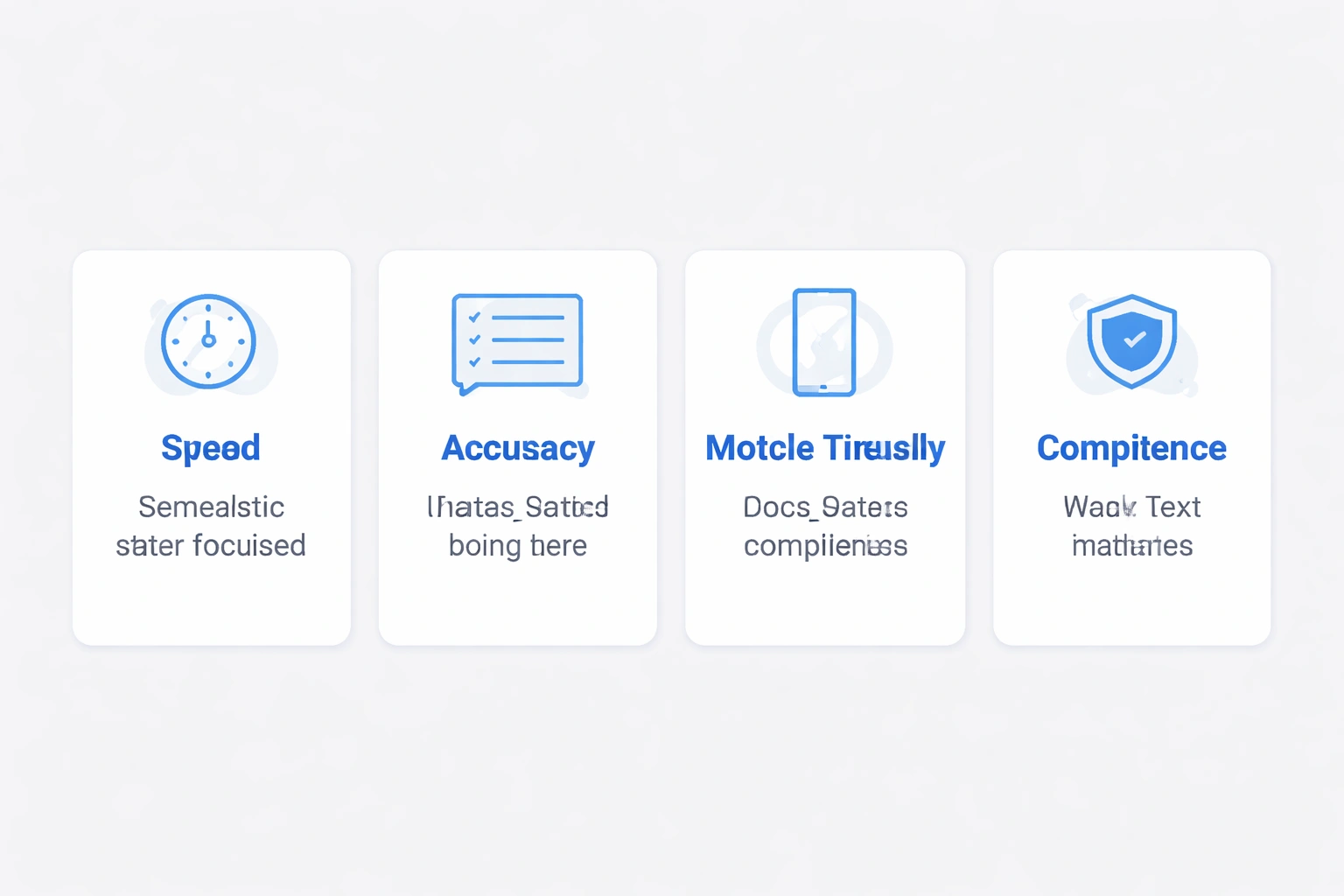
Forget the buzzwords. Good transactional emails do four things well: they arrive in under a second, they get the details right, they look good on a phone, and they don't get you sued.
Speed is the big one. If I'm resetting a password, every second I wait makes me more likely to bounce and never come back. Platforms like Bokimo AI aim for processing times under 200 milliseconds. That kind of speed needs dedicated IP addresses separate from your marketing sends and direct SMTP connections that skip the promotional filters.
Personalization means more than "Hi {{First Name}}." That's table stakes. The best emails pull in order details, location data, account balances, and actual next steps. Look at Spotify's "Your Year in Music." It takes dry listening data and turns it into a story that feels specific to you, even though they sent it to millions of people. It makes you feel seen, even by an algorithm.
Design is about recognition. Your emails should look like your brand logos, colors, typography. When someone opens the email, they should know it's legitimate immediately. That trust is fragile. A generic template screams "phishing attempt" to a savvy user. Tools like Bokimo's template system help keep this consistent across order confirmations and shipping notices without needing a designer for every send.
Legally, you're walking a fine line. Transactional emails need accurate sender info, honest subject lines, and a physical address. You don't legally need an unsubscribe link, but adding a preference center is a decent thing to do. If you're confused about where the line is, read up on the differences between transactional and marketing emails before you accidentally trigger spam filters or fines.
Seven examples that actually work
Stripe keeps it incredibly simple. Their receipts show the amount, date, last four digits of the card, and a link to the dashboard. That's it. The design is minimal, loads fast, and is easy to forward to accounting. I've never felt sold to by a Stripe receipt, which is exactly why their subtle upsells "Upgrade for analytics" actually land.
Airbnb plays a different game. Their booking confirmations lead with a hero shot of the rental. It triggers that "I'm going on vacation" excitement. Below that, they pack in the details: check-in, address, host info, house rules. The "Get Directions" button is a small touch that saves you from copy-pasting addresses. They turn a simple confirmation into a trip guide you might actually open again.
Amazon masters the update chain. You get the order confirmation, then the dispatch notice with a tracking number, then the "out for delivery," and finally the "delivered" email. The last one asks for a review, turning the end of the transaction into social proof. Since 67% of these are opened on mobile, the design is built for phones first.
GitHub gets urgency right without inducing panic. If there's a weird login, the email tells you exactly what happened, from where, and on what device. You get two buttons: "This was me" or "Secure my account." No alarming red text, just a neutral tone that says "handle this." It lands in your inbox seconds after the event, which is exactly when you need it.
Grammarly blurs the line between transaction and engagement. Their weekly reports give you writing stats words written, accuracy, vocabulary. It feels valuable because it's about you. They even throw in comparisons: "You're more productive than 83% of users." It works because it's a progress report, not a sales pitch.
Duolingo uses behavioral psychology, maybe a little too well. If you're about to lose your streak, you get an email with a countdown. The mascot is playful, but the message is serious. They include a one-tap button to do a lesson. It's a 40% click rate because the timing is perfect they know when you usually practice, and they know exactly when to prod you.
Shopify serves two masters. The customer gets a clean confirmation. The merchant gets a backend notification with fulfillment needs and inventory updates. The system adjusts content based on order value, flagging big purchases for extra verification. It's two distinct emails for the price of one event.
The technical plumbing you can't ignore
Dedicated IPs are worth the money. Shared IPs are risky; if someone else on that IP spams, your reputation takes the hit. High-volume senders get their own IPs, warmed up slowly to build trust. Enterprise solutions monitor these reputation scores and rotate IPs if things go south.
Authentication (SPF, DKIM, DMARC) is non-negotiable. SPF says "this server is allowed to send for me." DKIM signs the email so nobody tampered with it. DMARC tells the receiver what to do if the first two fail. Setup is annoying, technical, and easy to screw up, but it boosts inbox placement by 23%. You can automate the headache with tools like Bokimo's deliverability suite.
Webhooks are the glue. When something happens in your database a sale, a status change webhooks trigger the email instantly. Real-time sync prevents the embarrassment of sending a "your item shipped" email before it actually left the warehouse. Good integration capabilities make this invisible to the end-user.
Template variables separate content from code. You build a template with placeholders like {{order_total}}, and the system fills them in at send time. This lets marketers tweak copy without bugging developers. Advanced setups use conditional logic showing different content if a customer is a VIP, for example.
Bounce handling protects your reputation. Hard bounces (bad addresses) need immediate removal. Soft bounces (full inboxes) need retry logic. Feedback loops tell you when someone marks you as spam. Good platforms automate this cleanup so you don't have to. If you ignore this, your deliverability tanks. Monitoring deliverability metrics is the only way to catch issues early.
Design patterns that actually convert
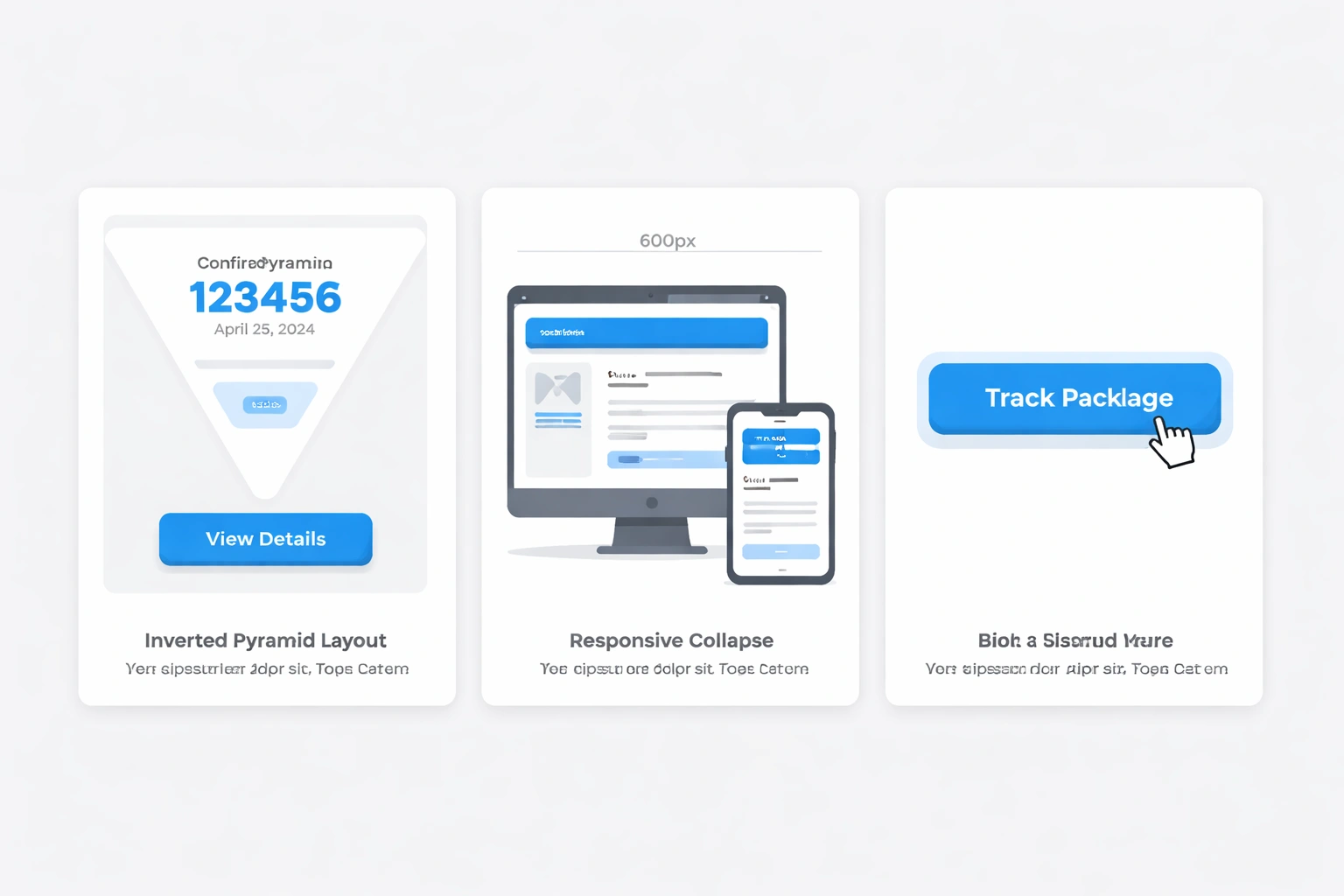
The inverted pyramid. Put the most important stuff first confirmation numbers, dates, big buttons. Details go below. Mobile users should see the critical info before they scroll. If I have to hunt for my confirmation number, you've failed.
Single-column layouts. Multi-column emails break on phones. Just use one column. It adapts to any screen width. Aim for 600px wide on desktop, collapsing to 320px on mobile. Responsive templates handle this for you.
Big, obvious buttons. Your "Track Package" or "Reset Password" button should be impossible to miss. High contrast, big tap target (at least 44x44 pixels). Be specific: "Download Invoice" is better than "Click Here." Stick to one main button per email to avoid decision paralysis.
Consistent headers and footers. Header: logo and context ("Your Order Confirmation"). Footer: legal info, address, preference link. People learn where to look for things. If you move the tracking number every time, they get annoyed.
Progress indicators. If it's a multi-step process, show "Step 2 of 5." For shipping, show a timeline. It reduces anxiety and cuts down on "where is my stuff?" support tickets.
Whitespace. Dense text is intimidating. Use padding, clear headings, and a legible font (14px minimum). Bold the important numbers order IDs, prices, dates so they stand out in a scan. The goal is comprehension in under 10 seconds.
Personalization at scale
Contextual recommendations. If someone buys a camera, suggest a SD card in the follow-up. If they reset a password, mention security features. When it's relevant, it feels helpful, not spammy.
Geographic tweaks. Show delivery times in the recipient's time zone. Use their currency format. Link to nearby stores. For global SaaS, this localization is a trust builder. SaaS platforms need built-in tools to manage this without creating 50 versions of the same email.
Behavioral triggers. Abandoned carts, re-engagement for inactive users, browse abandonment these work because they arrive when context makes them relevant. 5x higher open rates aren't uncommon. Email automation workflows handle the timing logic.
Segmentation. B2B clients get invoices with net terms; consumers see credit card receipts. Free trial users get education; paid users get usage stats. It prevents the "this clearly wasn't written for me" feeling.
Dynamic blocks. Swap out chunks of content based on rules. Newsletter subscribers see an unsubscribe link; transactional-only recipients don't. High-value customers get a dedicated support line. It's complex personalization without a template explosion.
The compliance checklist
CAN-SPAM. It applies to transactional emails too. Accurate "From" name. Subject line that matches content. Physical address in the footer. Fines can hit $43,280 per email, so it's worth doing right.
GDPR. For European users, you need a lawful basis (usually "contractual necessity"). Don't collect more data than you need. Users have the right to see, fix, or delete their data. Compliance guides for 2026 track the shifting landscape.
Authentication. Google and Yahoo now require SPF, DKIM, and DMARC for bulk senders. Implementing all three cuts spam folder placement by 87% and protects your domain from spoofing.
Unsubscribe management. You can't fully unsubscribe from transactional emails people need their receipts but you can offer a preference center. Let people choose SMS over email, or digests over individual alerts. It cuts complaints.
Metrics that matter
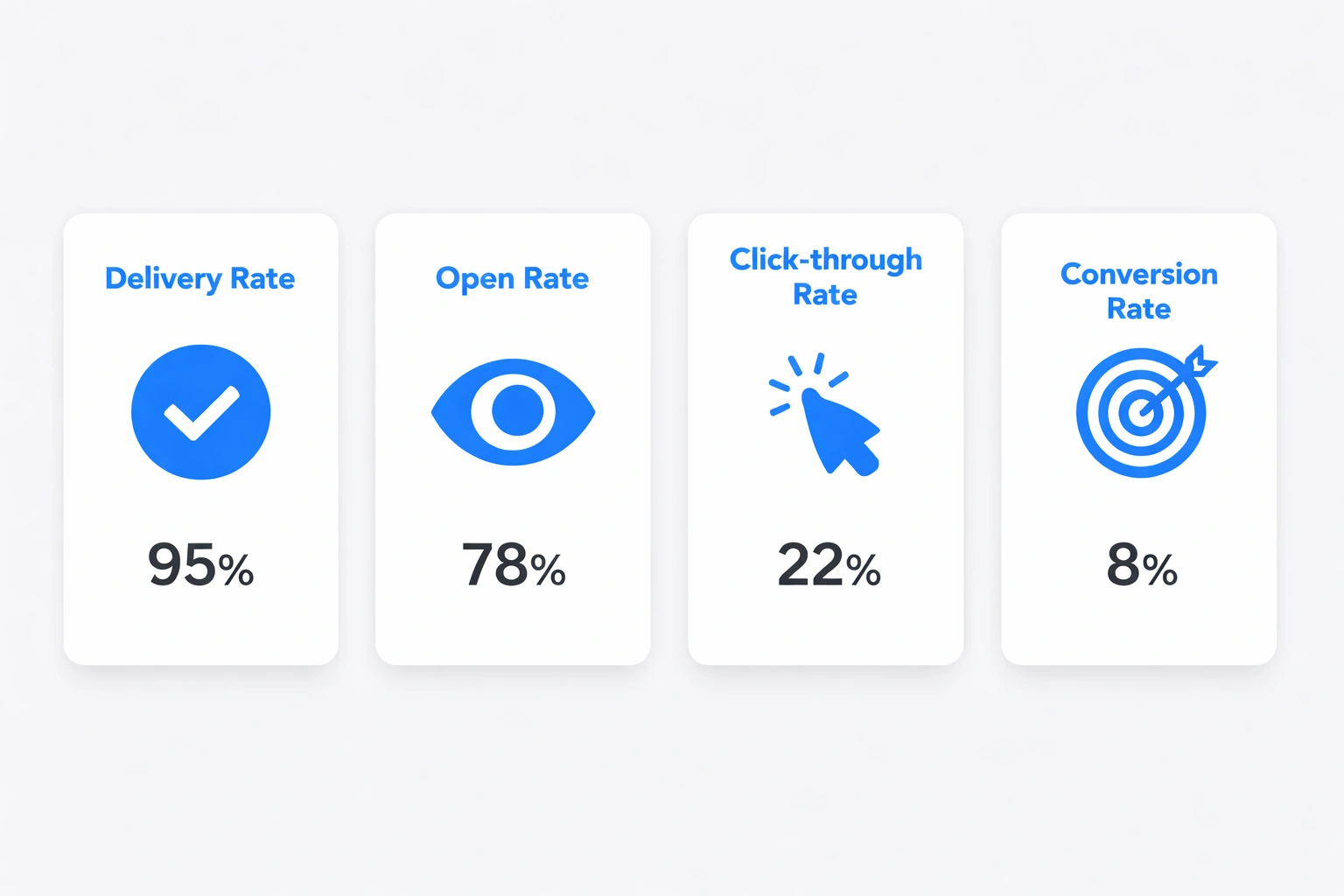
Delivery rate. Accepted emails divided by attempts. Below 95%? You have an infrastructure problem. Deliverability optimization keeps this number healthy as you scale.
Open rate. Transactional emails should see 60-80%. Marketing typically hits 20-25%. If you're under 50%, check your subject lines and sender reputation.
Click-through rate. Who clicked the main button? Password resets should be near 90%; monthly summaries might be 15%. A/B test your buttons.
Conversion rate. Did the email drive the outcome you wanted? Review submissions, feature adoptions, document uploads. Use UTM parameters to connect the dots. This is how you prove ROI.
Time-to-engage. Password resets should open in minutes. Shipping notices in hours. If it takes days, you might be in the spam folder.
Complaint rate. How many people marked you as spam? Above 0.1% is dangerous. It usually means you're sending to people who didn't want the email or the content was misleading.
Building your strategy
Start with an audit. List every transactional email you send. Account management, fulfillment, security, usage summaries. Check each one against design, personalization, and technical best practices.
Prioritize the high-impact stuff. Optimizing order confirmations for e-commerce pays off immediately. For startups, onboarding emails are the lever that moves activation rates.
Fix your authentication. Set up SPF, DKIM, and DMARC. Test with MXToolbox or Google Postmaster. Do this before you scale volume.
Build a template system. Use a framework like MJML. Test across clients with Litmus or Email on Acid. Template libraries can jumpstart this.
Connect the pipes. Use webhooks and APIs to trigger sends from actual events. Real-time triggers mean relevant emails.
Watch the numbers. Dashboard for delivery, engagement, conversion. Set alerts for sudden drops. Optimization is never "done."
Choosing a platform
Look at six things: deliverability infrastructure, integration ease, template flexibility, analytics depth, scalability, and pricing transparency.
Deliverability: Do they offer dedicated IPs? How do they handle reputation? Bokimo AI focuses heavily on this.
Integrations: REST APIs, SMTP relay, native plugins for Shopify or WordPress. Good docs save weeks of dev time. Check their integration pages.
Templates: Drag-and-drop builders or raw HTML? Mobile previews? Conditional logic support?
Analytics: Basic tracking vs. cohort analysis and A/B testing. What questions do you need answered?
Scalability: Can they handle 10x your current volume? Will pricing explode?
Pricing: Per-email or monthly subscription? Watch for overage fees. Transparent pricing prevents billing surprises.
Mistakes to avoid
Don't hide the promo stuff inside transactional emails. A receipt that pushes unrelated products feels cheap. It confuses the user and risks compliance flags. Keep the upsell subtle and relevant.
Don't ignore mobile. 65%+ of emails are opened on phones. If your design requires horizontal scrolling, you've failed. Test on actual devices, not just a browser emulator.
Stop using "[email protected]". It signals you don't care. Use a real address. Let people reply. It builds trust.
Don't be slow. A password reset that takes 10 minutes is useless. A shipping notice sent three days late is insulting. Real-time infrastructure is the only acceptable standard.
Stay on brand. Different logos or colors across emails look sketchy. It makes people question if the email is fake. Keep it consistent.
Write helpful error messages. "Something went wrong" is useless. Tell them what happened and what to do next. Give them a support link. Turn frustration into decent service.
Where this is going
AI personalization. Models are getting better at predicting what content works for specific individuals. AI email generators can customize copy at scale while keeping the brand voice intact.
Interactive elements. Forms and buttons right inside the inbox. Confirm a shipping address or rate a purchase without clicking through to a website. Apple Mail supports some of this already; others will follow.
Predictive alerts. Systems that warn you before a problem happens. Proactive reorders when stock gets low. Help articles suggested when the system detects you're stuck.
Multi-channel. Voice assistants reading confirmations. SMS for urgent updates. Chat platform integrations. Email won't disappear, but it won't be the only pipe.
Good transactional emails are a mix of solid engineering and empathy. They show up when needed, respect the user's time, and don't overstay their welcome. It's a competitive advantage that's hard to copy because it requires getting a thousand small details right. Most companies won't bother. That's your opportunity.
Published with LeafPad