

Transactional emails are the ones people actually open. They're the automated messages triggered by specific actions order confirmations, password resets, shipping updates, account notifications. Unlike promotional emails, these contain information the user is waiting for. That distinction matters more than you might think.
The difference between transactional and marketing email isn't just semantics. It affects deliverability, legal compliance, and user trust. Transactional messages see 80-85% open rates compared to 15-25% for promotional campaigns, mostly because recipients need the information immediately. If you treat them the same, you'll damage your sender reputation and annoy your users.
What Makes Transactional Email Different
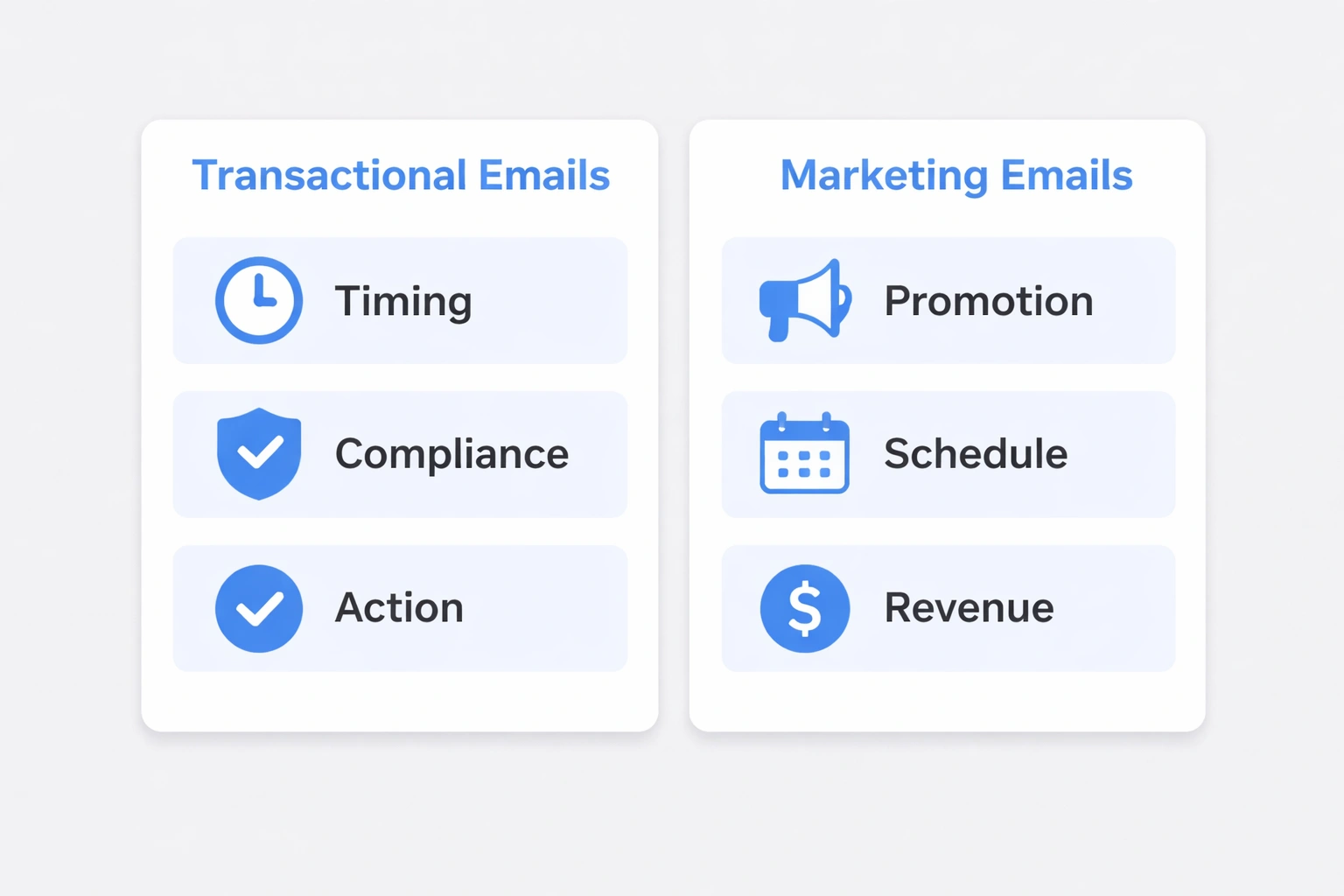
Transactional emails exist to complete an action, not sell a product. A password reset email has one job: help the user reset their password. An order confirmation confirms the order. That's it. They arrive within seconds or minutes of a user action, which means timing reliability is critical.
The content focuses entirely on the transaction details. You might see branding in the header or footer, but the primary content is functional. No upsells, no "while you're here, check out this sale." This isn't just best practice it's often a legal requirement.
Regulations like CAN-SPAM and GDPR treat transactional messages differently from marketing. Users initiated the action, so they're exempt from standard unsubscribe requirements. But here's the catch: if you stuff promotional content into a transactional email, you can reclassify it as marketing. Now you need opt-out links and physical addresses. It's not worth the risk. Keep them separate.
Email providers prioritize these messages for speed. Bokimo AI's email automation platform, for example, uses dedicated infrastructure with 99.9% uptime guarantees and sub-second delivery times, specifically because transactional email can't wait in a queue behind a marketing blast.
The Main Types of Transactional Email
If you're mapping out your customer journey, these are the transactional touchpoints you'll need:
Account Management Password resets, email verifications, two-factor codes, security alerts. These need to arrive instantly. If a user clicks "forgot password" and doesn't see the email within a minute, they're going to assume it's broken.
Purchases Order confirmations, payment receipts, shipping notifications, delivery confirmations. This is your post-purchase handshake. It's also where customers are most likely to engage people track their packages obsessively.
Subscriptions and Services Welcome emails, renewal reminders, usage alerts (you're approaching your limit), cancellation confirmations. These keep the relationship running smoothly.
System Notifications Comment replies, form submission confirmations, API error alerts for developers, scheduled reports. These are the background hum of platform operations.
Bokimo AI's template library covers all of these, but the principle is the same: have templates ready for each trigger point so you're not building them from scratch when a user needs them.
The Technical Stuff You Can't Skip
You can't just plug in an SMTP server and expect transactional email to work reliably. ISPs have built layers of authentication to fight spam, and you have to prove you're legitimate.
Authentication SPF authorizes your sending IP addresses. DKIM cryptographically verifies that the message is actually from you. DMARC tells receiving servers what to do if authentication fails. You need all three. Without them, you're invisible to Gmail and Outlook.
Infrastructure Shared IPs are fine for marketing. For transactional email, you want a dedicated IP. If your marketing blast gets flagged as spam, it shouldn't take down your password resets. Redundant servers and geographic distribution also matter if your only server goes down, your transactional emails stop.
APIs and Monitoring You'll trigger these emails via API, so you need solid documentation and webhooks for delivery status. You also need to watch the metrics. If delivery rates drop below 98%, something is wrong. If latency exceeds 30 seconds, users will notice.
Bokimo AI's integration options support Shopify, WooCommerce, Stripe, and others, which saves you from building custom integrations for common platforms.
Deliverability: How to Actually Reach the Inbox
Transactional email has a natural advantage: people want it. But you can still screw it up.
Consistency matters. ISPs trust senders with predictable patterns. If you suddenly send 10x your normal volume because of a viral product, you might trip spam filters. Warm up new domains slowly start with 50-100 emails a day and increase gradually over 3-4 weeks.
Content still counts. Even though you're exempt from some rules, don't get sloppy. Avoid "FREE" in all caps or excessive punctuation. Use clean HTML. Provide a plain-text version. These aren't just aesthetic choices; they affect whether your email gets marked as spam.
Hygiene is ongoing. Hard bounces (invalid addresses) should be removed immediately. Soft bounces (full inbox, temporary failure) need retry logic. And if people are marking your transactional email as spam, that's a massive red flag. Investigate immediately.
Keep transactional email on a separate subdomain (like mail.yourdomain.com or transactional.yourdomain.com). If your marketing IP gets blacklisted, your transactional reputation stays clean. Our deliverability guide goes deeper on this if you're setting up infrastructure from scratch.
Legal Compliance (The Boring but Necessary Part)
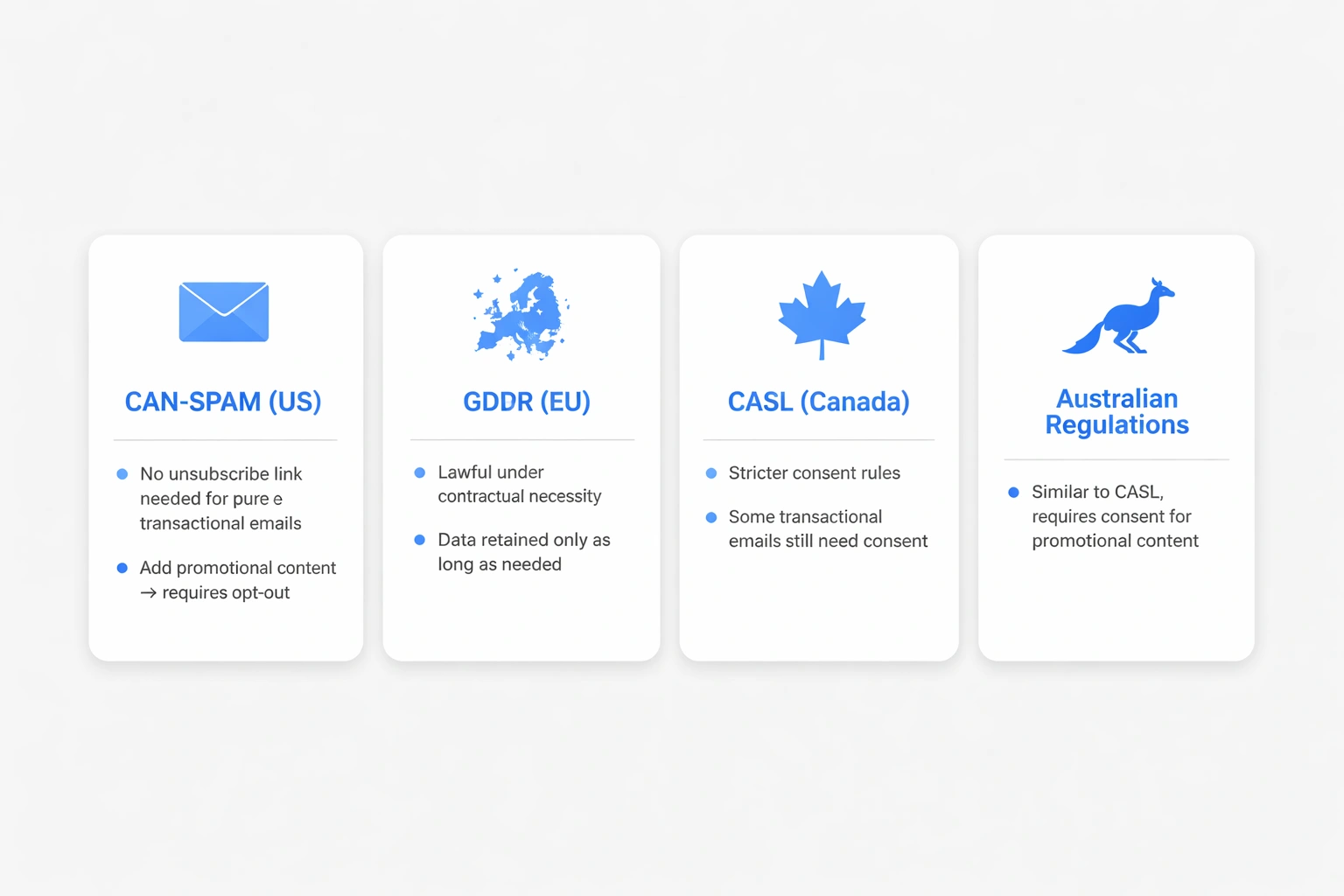
CAN-SPAM (US) Purely transactional emails don't require unsubscribe links or physical addresses. But the moment you add a "20% off your next order" banner, it becomes marketing. Now you need an opt-out. Don't blur the line.
GDPR (EU) Transactional email is usually lawful under "contractual necessity" or "legitimate interest." You don't need separate consent to send an order confirmation. But you do need to retain that data only as long as necessary for the transaction don't hoard it forever.
International Variations Canada's CASL is stricter some transactional emails still require consent. Australia's Spam Act exempts factual information but regulates anything designed to build a relationship. If you operate globally, you need region-specific policies. SaaS companies using Bokimo AI get built-in compliance handling for these variations, which is one less thing to worry about.
Designing Transactional Emails
Clarity beats creativity. This isn't the place for clever layouts or experimental design. Users want the information. Put the key details the order number, the reset link, the delivery date in the first screen.
Mobile is non-negotiable. Most people check email on their phones. Buttons need to be at least 44x44 pixels for fat fingers. Font size shouldn't go below 14px. Single-column layouts are safer than complex multi-column designs that break on small screens.
Don't forget accessibility. Semantic HTML helps screen readers. Alt text describes images. High color contrast (4.5:1 ratio) helps everyone. A plain-text version is your fallback when HTML fails or when the user has disabled it.
Bokimo AI's template system handles a lot of this automatically, but the principles are worth understanding. If your password reset email is unreadable on an Android phone, it's useless.
Measuring What Matters
Delivery rate is the big one. You want 99%+ for transactional email. Anything below 98% is a problem.
Open rates are tricky. They rely on image loading, which many clients block. An 80-90% open rate is normal for transactional email (because people want it). If it's lower, check your subject lines or sender name recognition.
Click-through rates tell you if your CTA is clear. A password reset email should have a 90%+ click rate people clicked "forgot password" specifically to get that link. Order tracking emails typically see 60-70% as people check on shipments.
Time-to-inbox is your speed metric. If it takes more than 30 seconds, you're too slow. If it takes minutes, you have a problem. Enterprise solutions from Bokimo AI include 95th percentile tracking, so you can see if 5% of your emails are dragging often that's where the worst user experiences hide.
Transactional vs. Marketing: A Quick Comparison
| Aspect | Transactional Email | Marketing Email |
|---|---|---|
| Trigger | User action or system event | Scheduled campaign |
| Timing | Immediate | Flexible |
| Content | Functional | Promotional |
| Volume Pattern | Varies with activity | Batched |
| Unsubscribe | Not required | Legally mandated |
| Open Rate | 80-85% | 15-25% |
| Infrastructure | Dedicated priority | Shared pools |
Keep these separate. Use different domains, different infrastructure, different strategies. Marketing automation workflows handle the nurture sequences; transactional systems handle the moments that matter.
Choosing a Provider
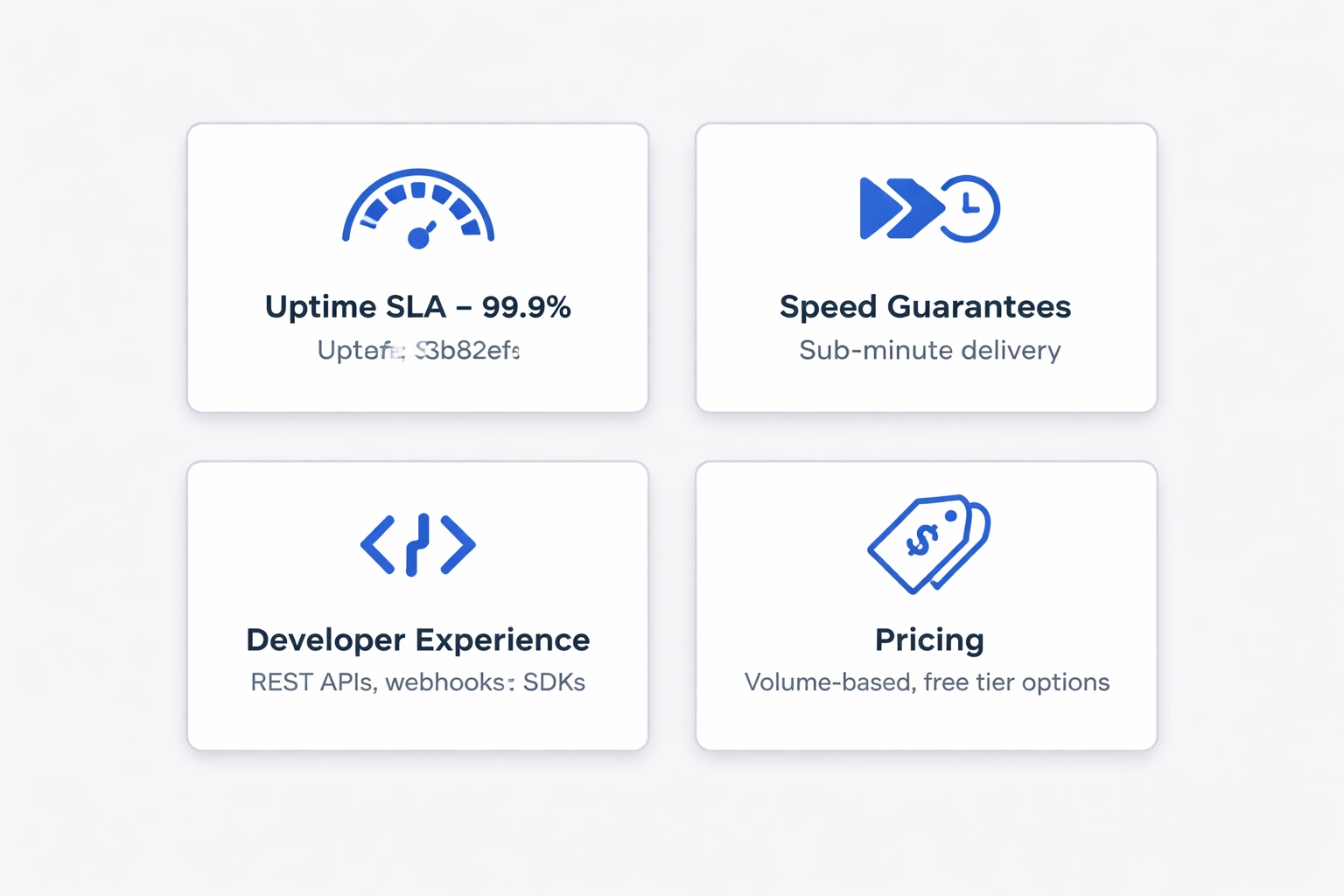
Not all email services are built for this. Marketing platforms often tag transactional features onto the side, but you want a provider that treats it as core infrastructure.
Look for:
- Uptime SLAs. 99.9% is the standard. Ask for their incident history.
- Speed guarantees. Sub-minute delivery is non-negotiable.
- Developer experience. Good REST APIs, webhooks for status updates, SDKs in your language.
- Pricing that fits. Volume-based works for high senders. Free tiers help startups. Watch for overage charges.
Bokimo AI's pricing is transparent on this, but whatever you choose, test it with real traffic during a trial. Don't commit to an annual contract until you've seen delivery rates and support responsiveness firsthand.
Implementation: How to Roll It Out Safely
Don't flip a switch on a live system. Migrate in phases.
- Start with low-stakes emails. Welcome emails, not password resets. Test the waters.
- Run parallel systems. Keep the old one live while you test the new one.
- Warm up new domains. If you're using a new sending domain, don't blast volume immediately. Ramp up over 3-4 weeks.
- Set up monitoring. Get alerts if delivery drops below 98% or latency spikes. Know before your users do.
E-commerce businesses using Bokimo AI can use pre-built workflows for order confirmations and shipping updates, which cuts implementation time significantly.
Where People Screw This Up
Mixing in promotions. I've seen order confirmations with "related products" sections. Don't do this. You risk reclassification as marketing and lower deliverability. Keep transactional email pure.
No error handling. If the email API fails, what happens? You need retry logic with exponential backoff. You need a fallback provider. You need user-facing error messages that don't just say "error 500."
Skipping plain text. Some users disable HTML. Spam filters penalize HTML-only messages. Generate a plain-text version. It's not hard.
Ignoring mobile. If I have to pinch-zoom to find my tracking number, your email failed. Test on actual devices, not just desktop simulators.
The email automation guide has more on error handling and mobile optimization if you're building this from scratch.
What's Coming Next
Transactional email isn't static.
- AI personalization is moving beyond "Hi [First Name]" to dynamic content based on user behavior.
- Real-time updates are making emails into living documents tracking maps that update, inventory status that changes after sending.
- Interactive email (AMP) lets users take actions inside the email itself confirm appointments, reschedule deliveries without visiting a site.
- Security (BIMI, encryption) is becoming standard as phishing concerns grow.
Bokimo AI's roadmap includes interactive email support planned for Q3 2026, if you're thinking ahead.
Getting Started
Audit what you have. Map every email touchpoint in your customer journey. Check your current delivery rates. Find the gaps.
Pick infrastructure that fits your scale. Compare providers based on deliverability, support, and cost not just who has the shiniest marketing.
Build templates for each trigger. Mobile-first. Accessible. On-brand but not cluttered.
Start your free Bokimo AI trial if you want to see how it works template builder, real-time analytics, dedicated support. But either way, get the fundamentals right. Transactional email is too important to get wrong.
Published with LeafPad